


Intro
TOOR 팀 활동을 하며 분석하게된 도커 컨테이너 탈출과 관련된 원데이 취약점에 관한 글입니다.

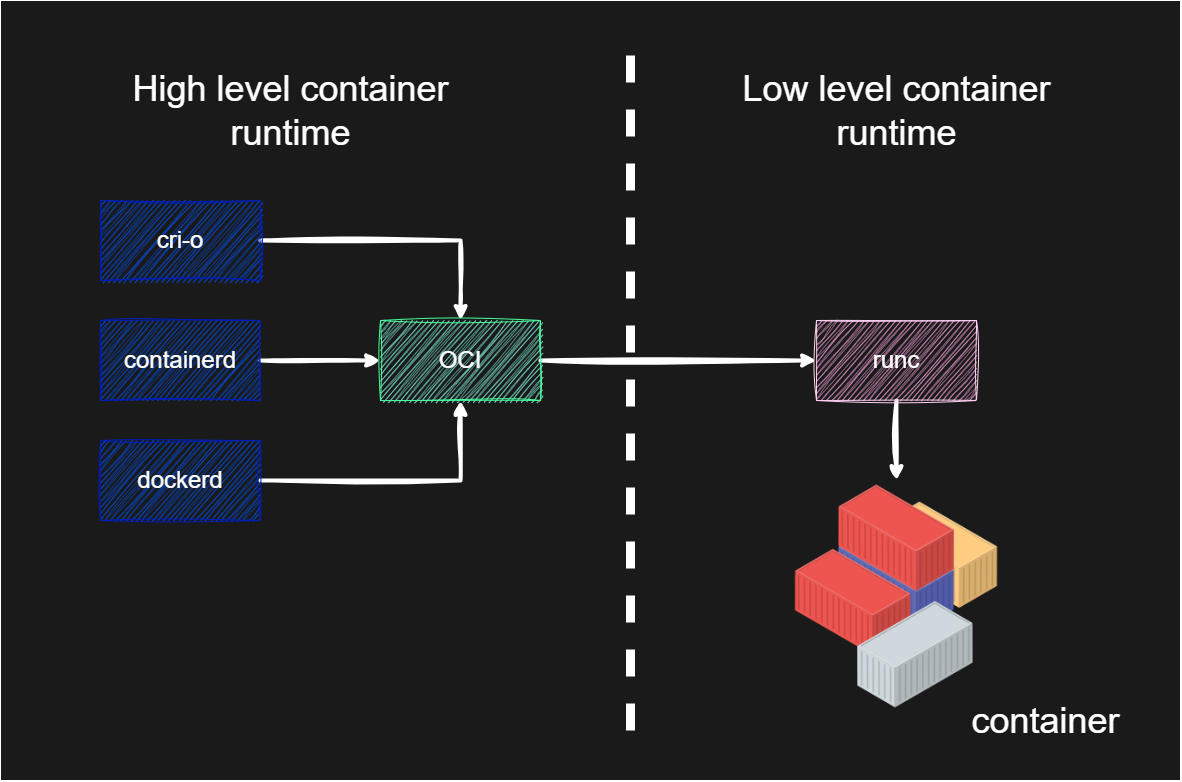
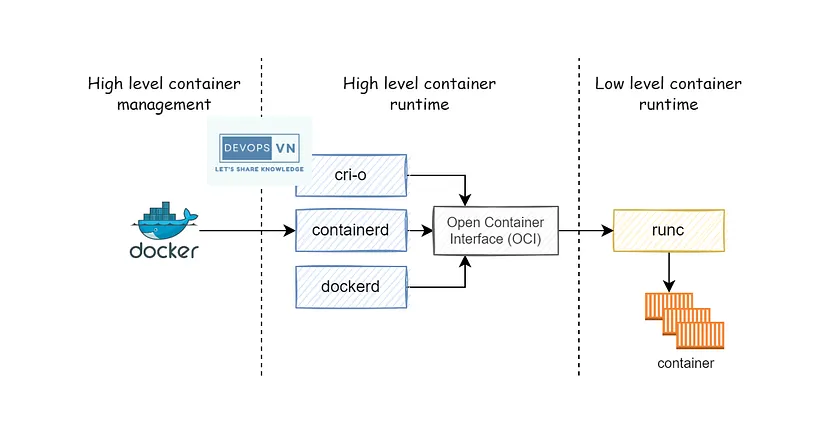
이번에 알아볼 취약점은 2024년 1월 31일에 공개된 도커 컨테이너의 Low-Level 컨테이너 런타임인 runc와 관련된 취약점입니다.
 https://miro.medium.com/v2/resize:fit:828/format:webp/1*CZD4P0OpVML_vsO7RNRevA.png
본 글은 선행 연구를 진행하신 다른 연구원분들의 글들을 읽고 제 나름 분석을 진행하며 취약점을 공부하며 이해하고 정리해본 결과로 작성하게된 글입니다. 나름의 분석을 해봤지만 맞지 않는 부분이 있을 수 있으며, 만약 이를 발견하셨을 시 피드백해주시면 적극 반영하도록 하겠습니다. 취약점 및 PoC 분석에 많은 도움이된 자료는 다음과 같습니다.
Vuln
- CVE-ID : CVE-2024-21626
- CWE-: CWE-668(Exposure of Resource to Wrong Sphere), CWE-403(Exposure of File Descriptor to Unintended Control Sphere (‘File Descriptor Leak’))
RCA
해당 취약점은 runc에서 컨테이너를 생성하는 과정중 열린 /sys/fs/cgroup을 적절하게 닫지 않고 컨테이너를 생성하는 행위 및 Current Working Directory의 검증 미흡에 의해서 발생합니다. 이로인해 공격자는 생성된 컨테이너 내에서 /proc/self/fd/<파일디스크립터>의 형태로 호스트 운영체제의 파일 시스템에 접근할 수 있게됩니다.
취약점으로 인해 호스트 파일 시스템의 /sys/fs/cgroup이 /proc/self/fd/7에 매핑될 경우(이외에도 내부 메커니즘에 의해서 할당되는 파일 디스크립터 패턴이 존재합니다. 즉, 반드시 7에 매핑되어야만 하는것은 아닙니다.) 도커파일의 지시어인 WORKDIR를 다음과 같이 설정하게되면 컨테이너내에서 호스트의 파일 시스템에 접근이 가능합니다.
WORKDIR /proc/self/fd/7위와 같은 명령어로 호스트 파일 시스템 네임스페이스 내에서 현재 작업 디렉터리를 갖게됩니다. 즉, 공격자는 컨테이너 외부의 호스트 운영체제의 자원이 보이는 상황입니다.
만약 컨테이너내의 사용자의 UID가 0일 경우 이렇게 탈출된 파일 시스템에서 ssh키를 추가하는 형태나 파일을 조작 및 삽입하는 형태의 공격을 시도할 수 있습니다.
공격자는 다음과 같은 페이로드로 호스트 내부의 파일에 접근할 수 있게됩니다.
cat /proc/1/cwd/../../../../../../../../../../../../../etc/passwd이 취약점은 도커 명령어로 컨테이너 내에서 다른 컨테이너를 생성할 수 있을 경우에도 비슷하게 악용할 수 있습니다.(공격 원리는 같습니다.) /proc/self/fd/7와 같이 닫히지 않은 호스트 파일 디스크립터를 심볼릭 링크를 통해 컨테이너내의 디렉터리와 매핑시켜준 후, 또 다른 컨테이너를 실행시킬때 -w(cwd 지정)을 통해 이를 매핑시켜 호스트의 파일 시스템에 접근할 수 있습니다.
Patch
다음과 같이 4개의 부분이 추가되었습니다.
작업 디렉터리 검증(8e1cd2f)
취약점의 악용은 Current Working Directory 변경을 통해 진행됩니다. 이를 방지하는 cwd를 검증하는 코드가 추가되었습니다.
// verifyCwd ensures that the current directory is actually inside the mount// namespace root of the current process.func verifyCwd() error { // getcwd(2) on Linux detects if cwd is outside of the rootfs of the // current mount namespace root, and in that case prefixes "(unreachable)" // to the returned string. glibc's getcwd(3) and Go's Getwd() both detect // when this happens and return ENOENT rather than returning a non-absolute // path. In both cases we can therefore easily detect if we have an invalid // cwd by checking the return value of getcwd(3). See getcwd(3) for more // details, and CVE-2024-21626 for the security issue that motivated this // check. // // We have to use unix.Getwd() here because os.Getwd() has a workaround for // $PWD which involves doing stat(.), which can fail if the current // directory is inaccessible to the container process. if wd, err := unix.Getwd(); errors.Is(err, unix.ENOENT) { return errors.New("current working directory is outside of container mount namespace root -- possible container breakout detected") } else if err != nil { return fmt.Errorf("failed to verify if current working directory is safe: %w", err) } else if !filepath.IsAbs(wd) { // We shouldn't ever hit this, but check just in case. return fmt.Errorf("current working directory is not absolute -- possible container breakout detected: cwd is %q", wd) } return nil}... // Make sure our final working directory is inside the container. if err := verifyCwd(); err != nil { return err }컨테이너 생성(execve)전 열린 파일 디스크립터 닫기 작업(f2f1621)
취약점은 컨테이너 생성 이전에 열린 파일 디스크립터로 인해 발생합니다. 이와 같은 문제를 방지하기 위해 컨테이너를 생성하기 전에 열린 파일 디스크립터를 닫는 작업을 하는 코드가 추가되었습니다.
// CloseExecFrom sets the O_CLOEXEC flag on all file descriptors greater or// equal to minFd in the current process.func CloseExecFrom(minFd int) error { // Use close_range(CLOSE_RANGE_CLOEXEC) if possible. if haveCloseRangeCloexec() { err := unix.CloseRange(uint(minFd), math.MaxUint, unix.CLOSE_RANGE_CLOEXEC) return os.NewSyscallError("close_range", err) } // Otherwise, fall back to the standard loop. return fdRangeFrom(minFd, unix.CloseOnExec)}//go:linkname runtime_IsPollDescriptor internal/poll.IsPollDescriptor// In order to make sure we do not close the internal epoll descriptors the Go// runtime uses, we need to ensure that we skip descriptors that match// "internal/poll".IsPollDescriptor. Yes, this is a Go runtime internal thing,// unfortunately there's no other way to be sure we're only keeping the file// descriptors the Go runtime needs. Hopefully nothing blows up doing this...func runtime_IsPollDescriptor(fd uintptr) bool //nolint:revive// UnsafeCloseFrom closes all file descriptors greater or equal to minFd in the// current process, except for those critical to Go's runtime (such as the// netpoll management descriptors).//// NOTE: That this function is incredibly dangerous to use in most Go code, as// closing file descriptors from underneath *os.File handles can lead to very// bad behaviour (the closed file descriptor can be re-used and then any// *os.File operations would apply to the wrong file). This function is only// intended to be called from the last stage of runc init.func UnsafeCloseFrom(minFd int) error { // We cannot use close_range(2) even if it is available, because we must // not close some file descriptors. return fdRangeFrom(minFd, func(fd int) { if runtime_IsPollDescriptor(uintptr(fd)) { // These are the Go runtimes internal netpoll file descriptors. // These file descriptors are operated on deep in the Go scheduler, // and closing those files from underneath Go can result in panics. // There is no issue with keeping them because they are not // executable and are not useful to an attacker anyway. Also we // don't have any choice. return } if logs.IsLogrusFd(uintptr(fd)) { // Do not close the logrus output fd. We cannot exec a pipe, and // the contents are quite limited (very little attacker control, // JSON-encoded) making shellcode attacks unlikely. return } // There's nothing we can do about errors from close(2), and the // only likely error to be seen is EBADF which indicates the fd was // already closed (in which case, we got what we wanted). _ = unix.Close(fd) })}/sys/fs/cgroup 핸들 누수 방지(89c93dd)
cgroupRootHandle을 추가하고 설정 중 오류가 발생하여 범위 밖으로 빠져나오는 경우 에러를 발생시켜 가비지 컬렉터에 의한 자동 처리가 이루어지도록 수정되었습니다.
cgroupRootHandle *os.File...
if err != nil { err = &os.PathError{Op: "openat2", Path: path, Err: err} // Check if cgroupFd is still opened to cgroupfsDir // Check if cgroupRootHandle is still opened to cgroupfsDir // (happens when this package is incorrectly used // across the chroot/pivot_root/mntns boundary, or // when /sys/fs/cgroup is remounted). // // TODO: if such usage will ever be common, amend this // to reopen cgroupFd and retry openat2. fdPath, closer := utils.ProcThreadSelf("fd/" + strconv.Itoa(cgroupFd)) // to reopen cgroupRootHandle and retry openat2. fdPath, closer := utils.ProcThreadSelf("fd/" + strconv.Itoa(int(cgroupRootHandle.Fd()))) defer closer() fdDest, _ := os.Readlink(fdPath) if fdDest != cgroupfsDir { // Wrap the error so it is clear that cgroupFd // Wrap the error so it is clear that cgroupRootHandle // is opened to an unexpected/wrong directory. err = fmt.Errorf("cgroupFd %d unexpectedly opened to %s != %s: %w", cgroupFd, fdDest, cgroupfsDir, err) err = fmt.Errorf("cgroupRootHandle %d unexpectedly opened to %s != %s: %w", cgroupRootHandle.Fd(), fdDest, cgroupfsDir, err) } return nil, err }runc init 실행 전 모든 비표준 입/출력 파일 디스크립터 O_CLOEXEC 플래그 설정(ee73091)
파일 디스크립터 유출을 방지하기위해 runc init 이전에 열린 파일 비표준 파일 디스크립터에 대해서 O_CLOEXEC 플래그를 설정합니다.
해당 플래그는 파일을 열고나서 fork나 exec 계열의 시스템 콜 함수 호출시 자동으로 파일을 닫도록합니다.
// Before starting "runc init", mark all non-stdio open files as O_CLOEXEC // to make sure we don't leak any files into "runc init". Any files to be // passed to "runc init" through ExtraFiles will get dup2'd by the Go // runtime and thus their O_CLOEXEC flag will be cleared. This is some // additional protection against attacks like CVE-2024-21626, by making // sure we never leak files to "runc init" we didn't intend to. if err := utils.CloseExecFrom(3); err != nil { return fmt.Errorf("unable to mark non-stdio fds as cloexec: %w", err) }Mitigation
해당 취약점에 대한 보안 업데이트를 통해 취약점을 완화시킬 수 있습니다.